Account reports
Find and download your account statement, expenditure report and new editions report from My Account on the Browns Books website.
Last updated About 2 hours ago
Your account statement, expenditure report and new editions report are all in My Account.
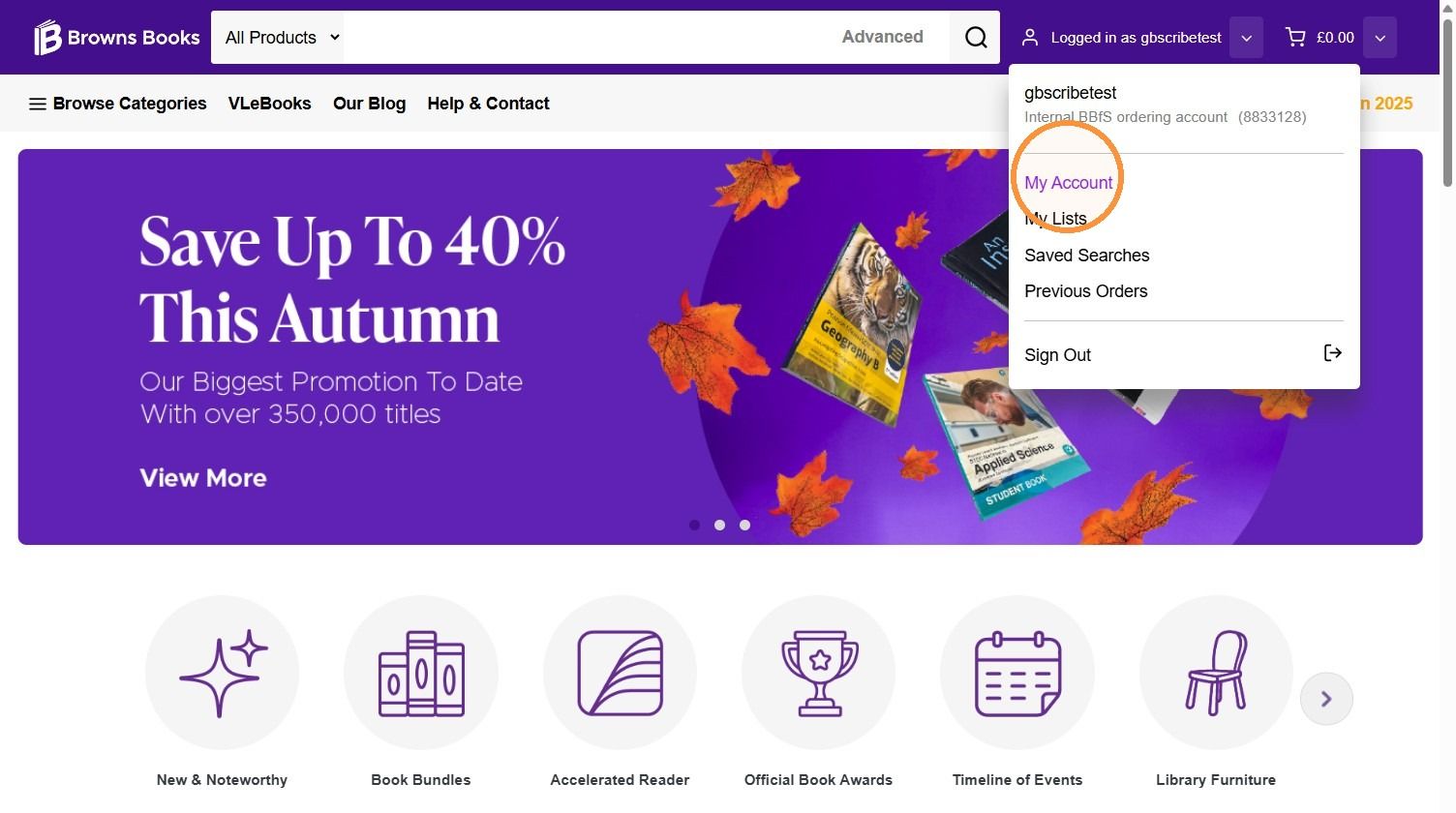
1. Hover over the user icon and click My Account.
Account statement
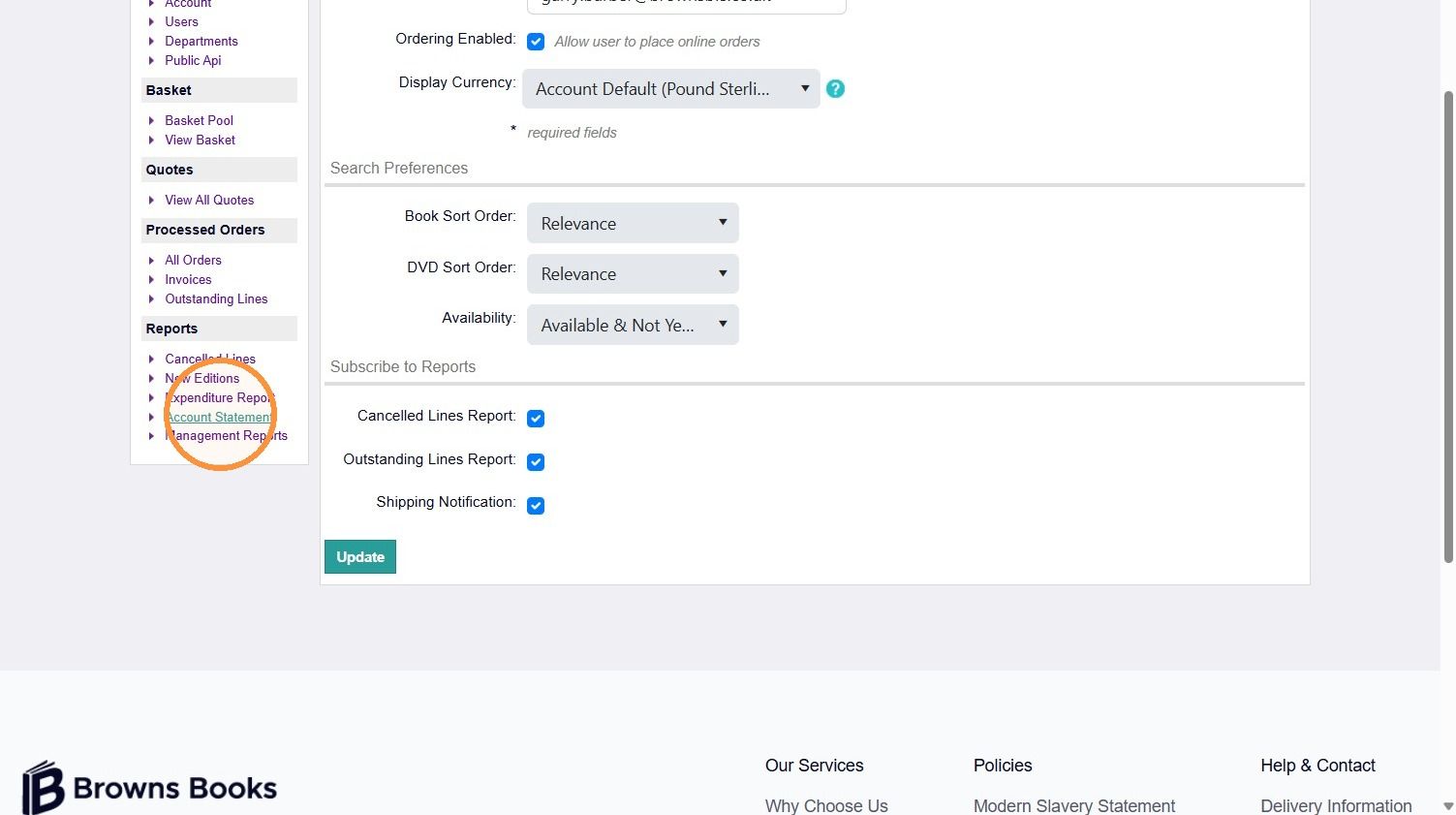
2. In the menu on the left, click Account Statement.
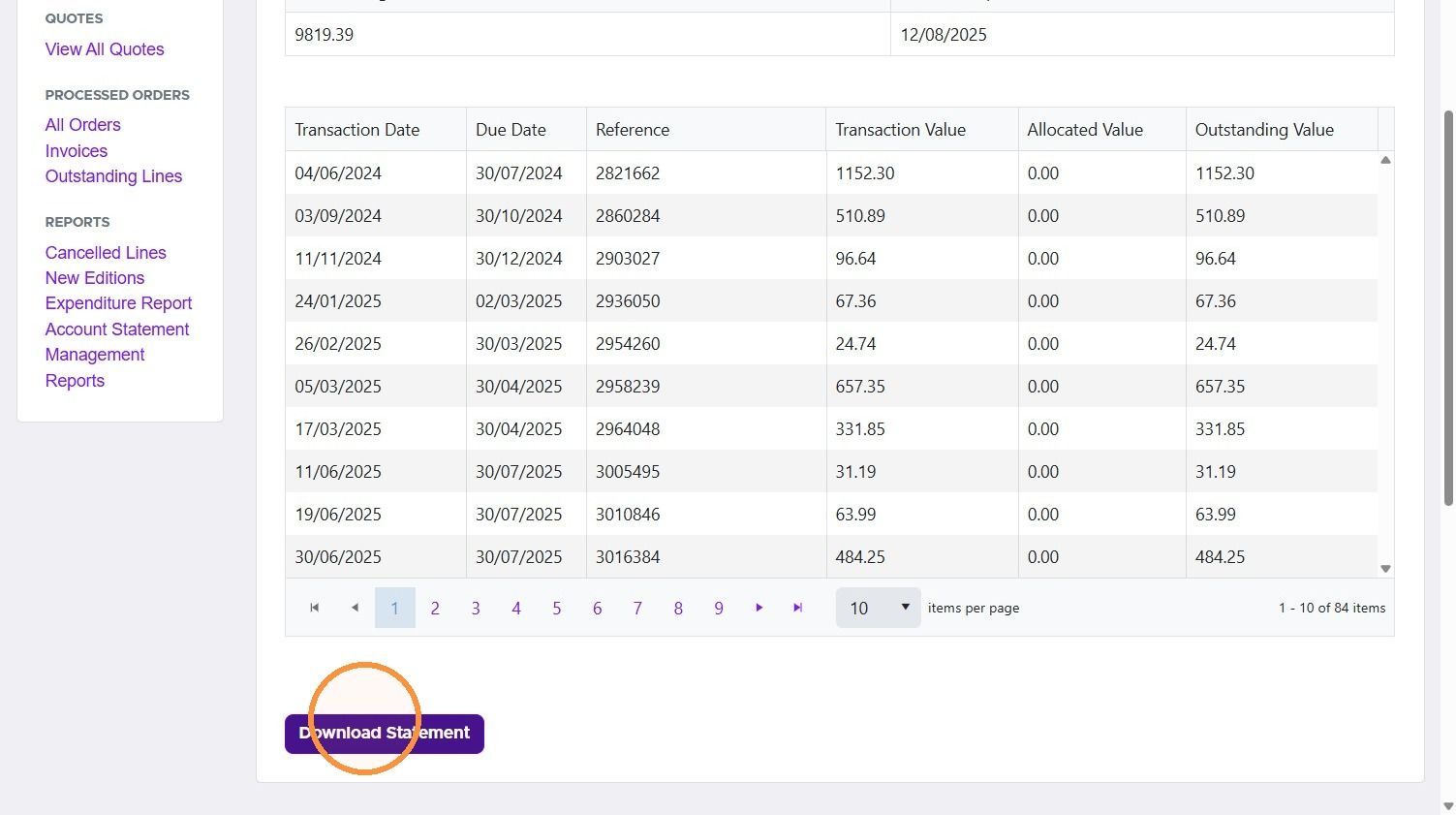
3. Your latest account statement is shown on screen, and you can download a copy.
Expenditure report
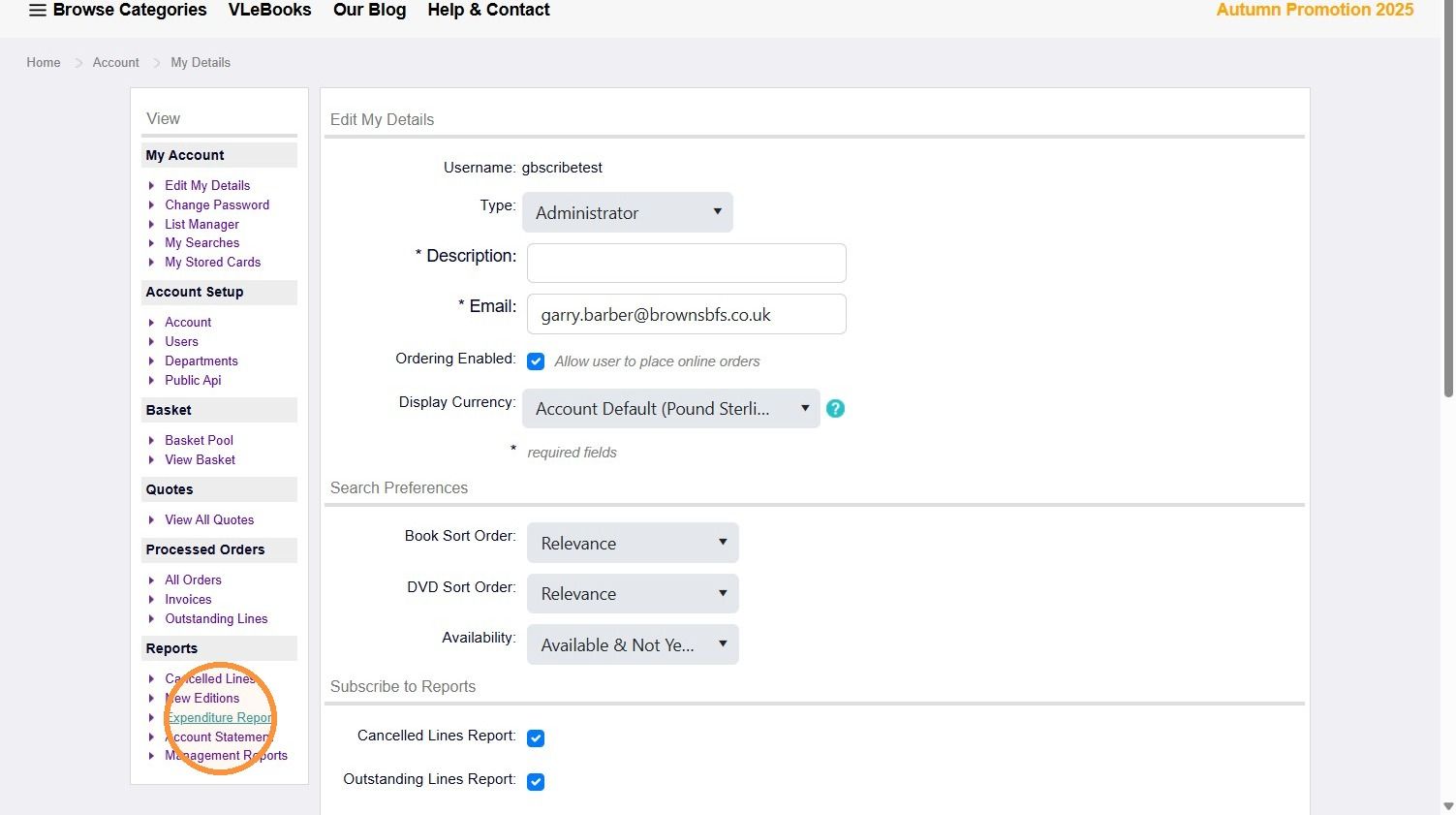
4. In the menu on the left, click Expenditure Report.
5. Choose the time period you want from the drop-down menu.
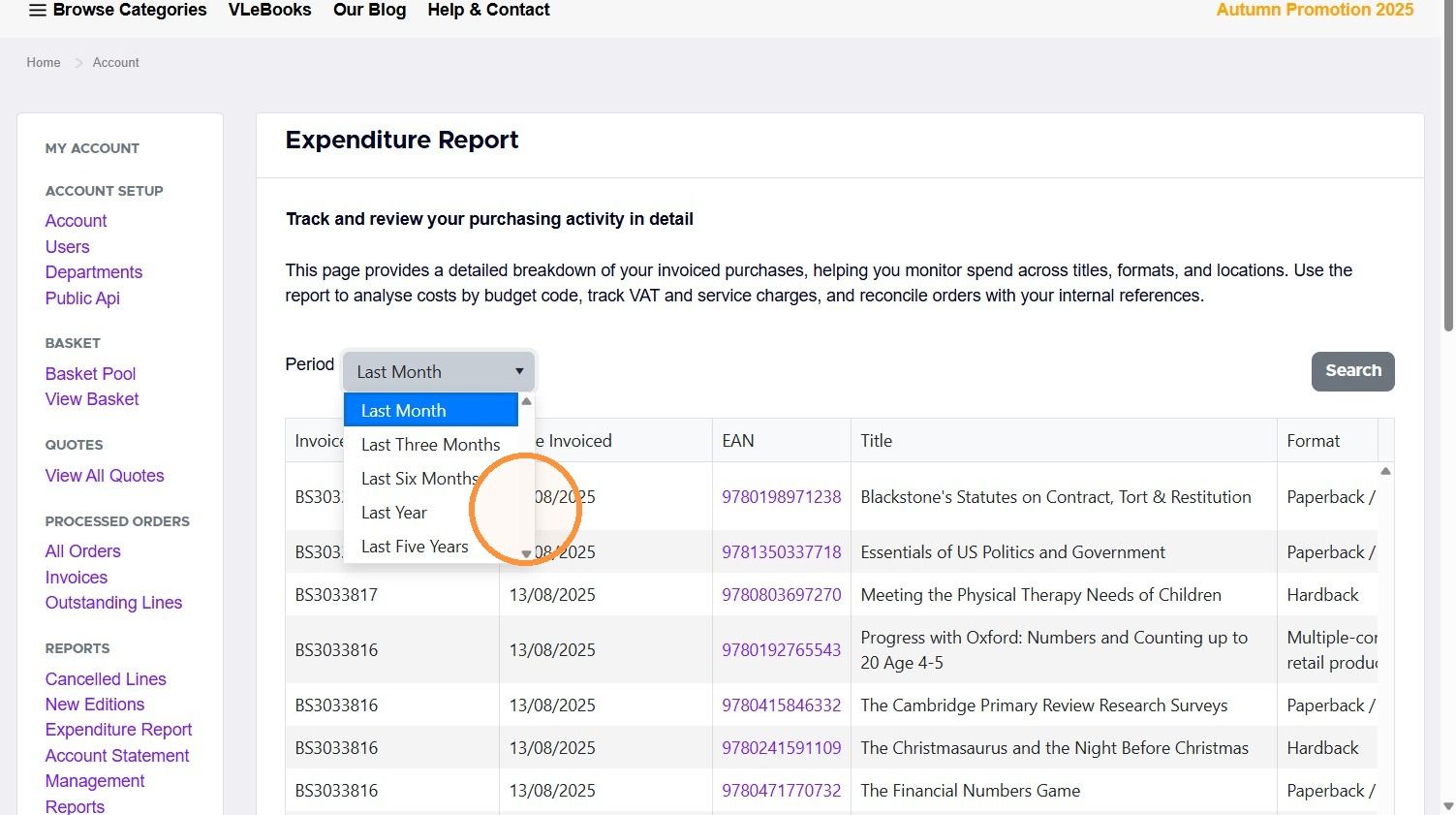
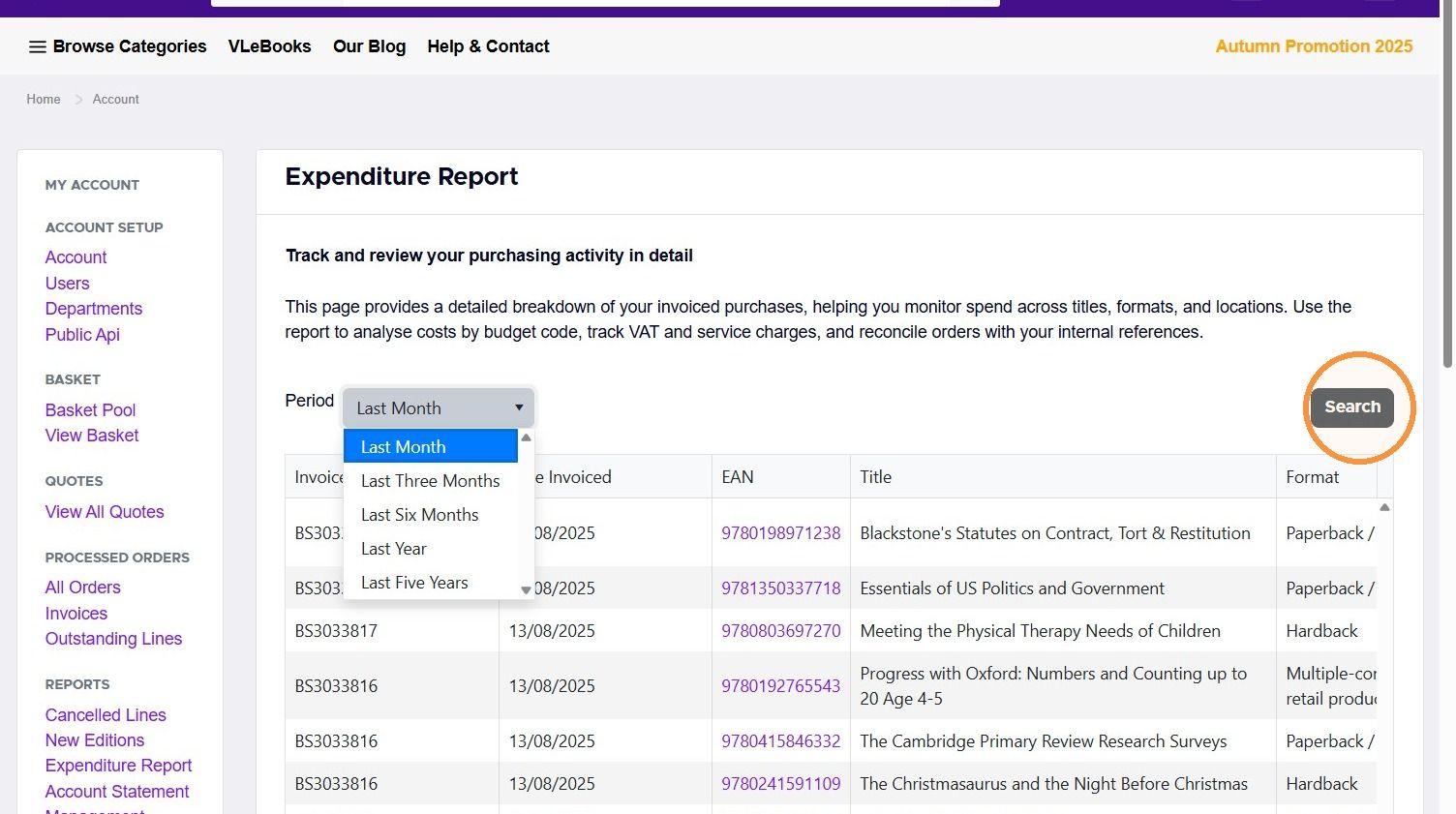
6. Click Search to see your spending for that period.
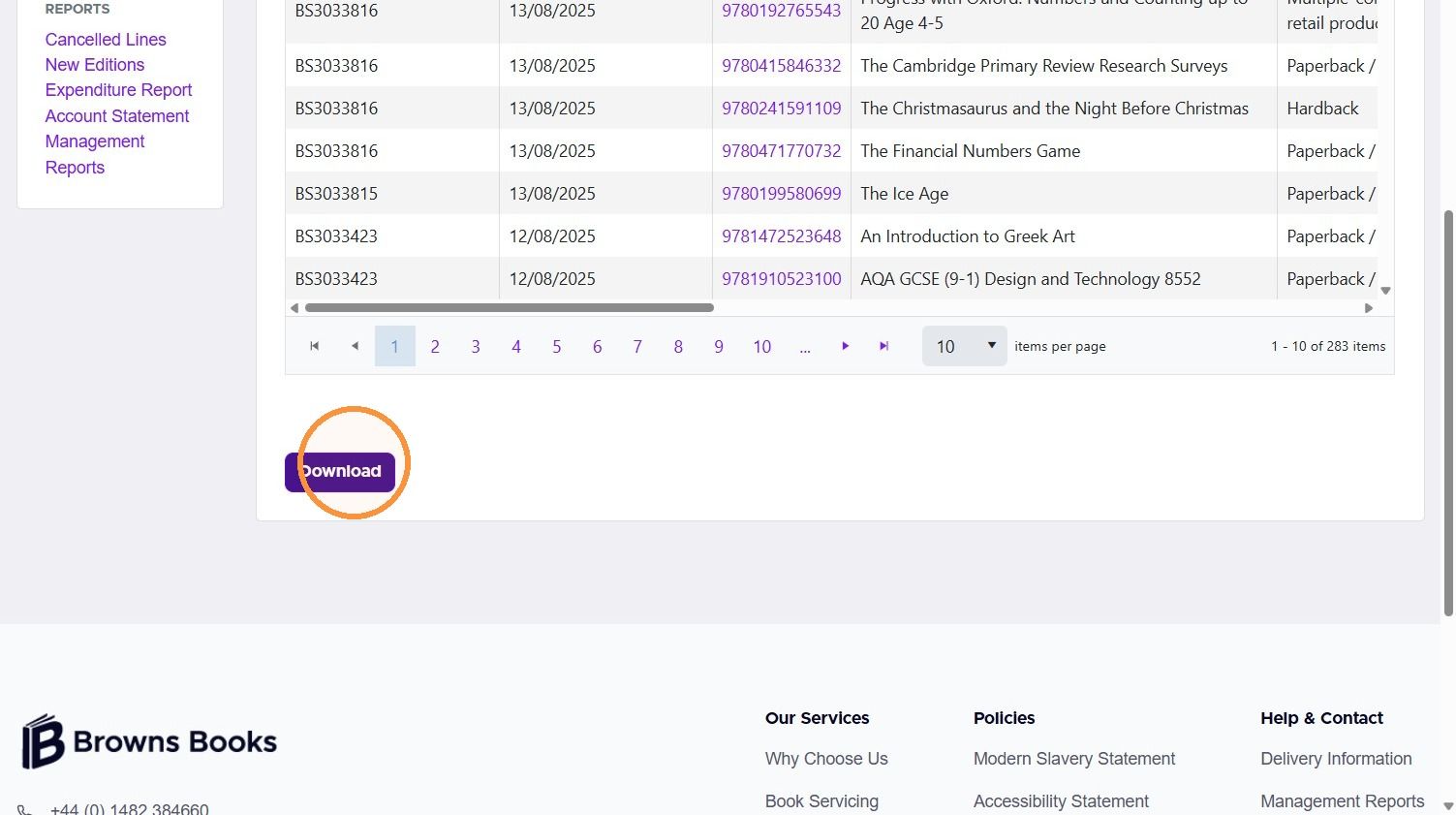
7. To keep a copy, download the report.
New editions report
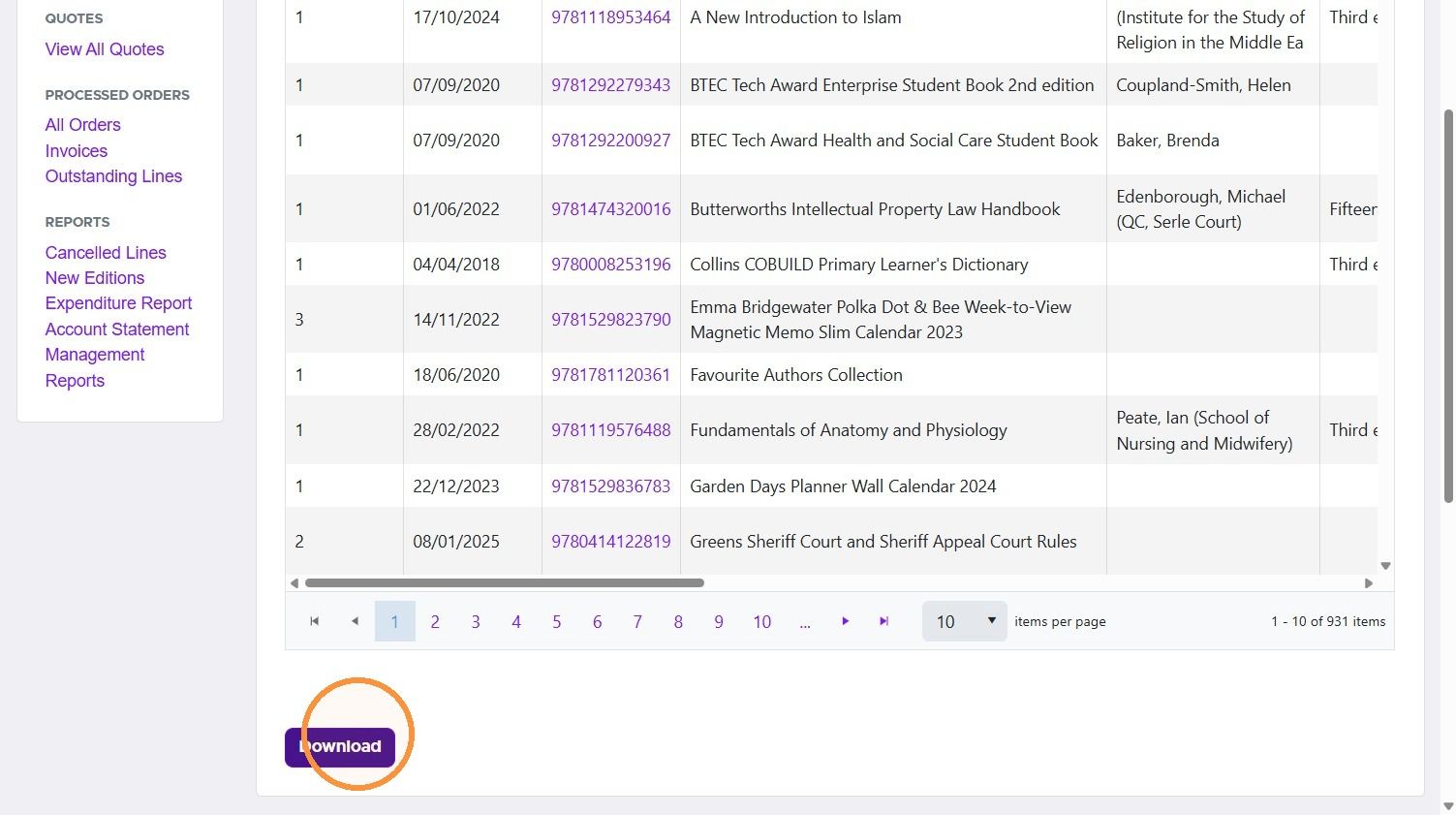
8. In the menu on the left, click New Editions.
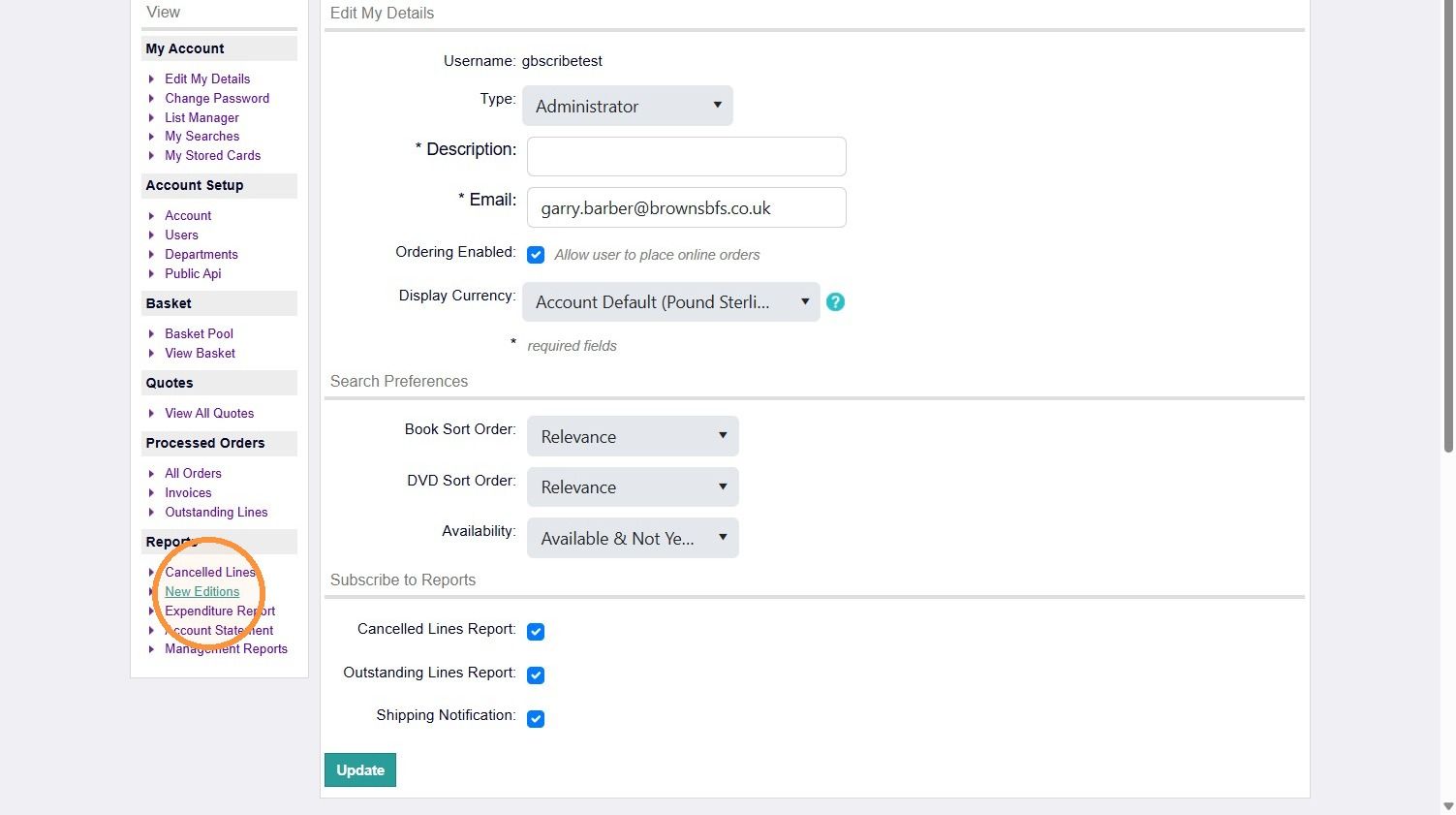
9. Click Download.
Was this helpful?
Still need help? Share an idea